Introduction: Why Choosing the Best CRM for Small Business Matters
Managing customers manually becomes difficult as a business grows. Leads arrive through websites, social media, WhatsApp, phone calls, email and advertising campaigns, making it easy to miss an important follow-up. This is where choosing the Best CRM for small business can make a significant difference.
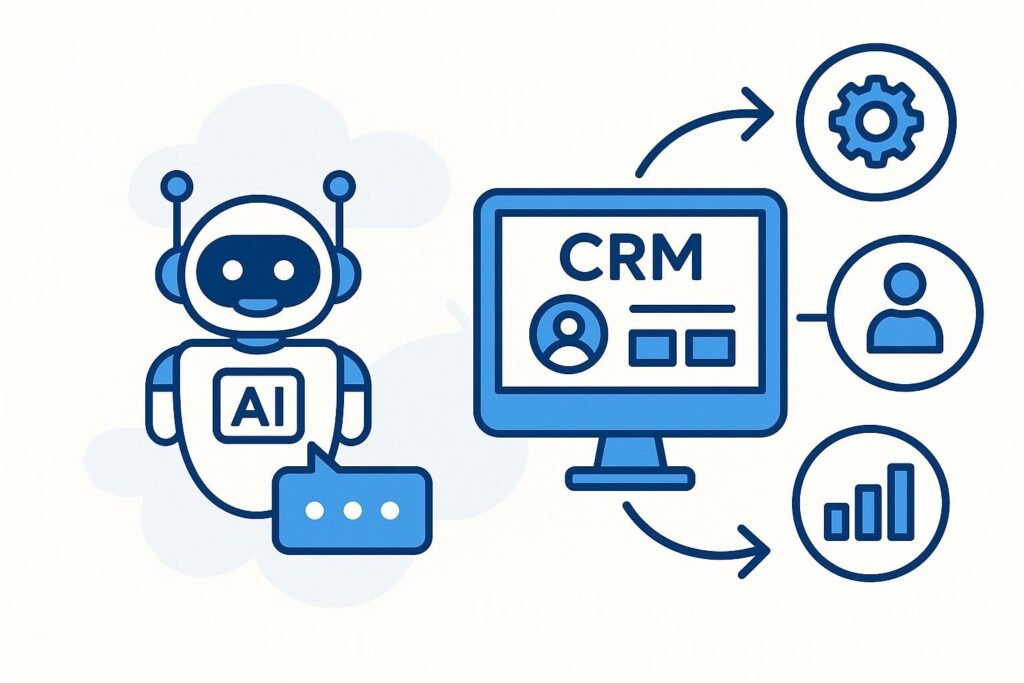
A Customer Relationship Management system helps businesses organize customer information, track leads, monitor sales opportunities, automate repetitive activities and maintain consistent communication. Instead of keeping customer details across spreadsheets, notebooks and different applications, a CRM brings important information into one centralized system.
For startups, agencies, consultants, retailers, service providers and growing companies, the Best CRM for small business should not simply be the platform with the largest number of features. It should be easy to use, affordable, scalable and suitable for the company’s actual sales process.
A good CRM can help a small business save time, improve follow-ups, understand customer behavior and create a more organized sales process.
What Is the Best CRM for Small Business?
The Best CRM for small business is a customer management platform that helps a company store customer information, manage leads, track conversations and improve sales without creating unnecessary complexity.
Small businesses generally have limited employees, budgets and resources. Therefore, the Best CRM for small business should provide useful features without requiring a large technical team.
Essential CRM features usually include:
- Lead management
- Contact management
- Sales pipeline tracking
- Follow-up reminders
- Email integration
- WhatsApp or communication integrations
- Task management
- Marketing automation
- Reporting and analytics
- Customer segmentation
- Mobile accessibility
- Third-party integrations
The right system allows business owners and sales teams to know who a prospect is, where that prospect came from, what conversations have taken place and what action should happen next.
Why the Best CRM for Small Business Can Transform Sales
For many small companies, the biggest sales problem isn’t a lack of leads. It is poor lead management.
A potential customer may enquire today and expect a response tomorrow. If the sales representative forgets to follow up, the opportunity may disappear. The Best CRM for small business helps prevent such situations by recording customer interactions and creating reminders.
A CRM can also show which leads are new, which are being contacted, which have received quotations and which are close to becoming customers.
This creates a structured sales funnel.
For example:
New Lead → Contacted → Qualified → Proposal Sent → Negotiation → Won
The Best CRM for small business makes this process visible to the business owner and sales team.
Instead of asking, “Did we call this customer?”, the team can check the CRM and immediately understand the current status.
1. HubSpot CRM – A Strong Starting Point
HubSpot is often considered when businesses search for the Best CRM for small business because it combines CRM, marketing, sales and customer service capabilities.
It provides tools for contact management, lead tracking, sales pipelines, email communication, task management and reporting.
For a small company starting its CRM journey, the platform can be attractive because businesses can begin with core CRM functionality and expand into additional tools as their requirements increase.
The Best CRM for small business should allow companies to begin simply and add complexity only when necessary. HubSpot can suit businesses that want their marketing and sales activities connected.
It can be particularly useful for businesses generating leads through websites, content marketing, email campaigns and online advertising.
2. Zoho CRM – Flexible for Growing Businesses
Zoho CRM is another popular option for businesses looking for the Best CRM for small business.
One of its strengths is flexibility. Businesses can organize leads, contacts, deals, activities and sales processes according to their requirements.
Small businesses often need customization because every company has a different sales journey. A digital marketing agency, real estate company and educational business may all require different pipelines.
The Best CRM for small business should therefore accommodate different workflows rather than forcing every company into exactly the same structure.
Zoho can also become part of a wider business technology ecosystem, making it an option for companies interested in connecting CRM with other operational tools.
3. Salesforce – Powerful CRM for Businesses Planning to Scale
Salesforce is one of the most recognized CRM platforms in the market. It offers extensive functionality for sales, customer service, marketing and business operations.
For a small company with straightforward requirements, Salesforce may provide more functionality than necessary. However, businesses expecting significant growth may consider it when evaluating the Best CRM for small business.
A major advantage of choosing a scalable CRM is that companies do not necessarily need to replace their system when their operations become more sophisticated.
The Best CRM for small business should ideally support future requirements while remaining manageable today.
Salesforce is especially worth evaluating when a business has complex sales processes, multiple teams, extensive reporting requirements or significant customization needs.
4. Freshsales – Useful for Sales-Focused Teams
Freshsales is another platform businesses can consider while searching for the Best CRM for small business.
Its focus on sales management makes it relevant for companies that want to organize prospects, conversations, deals and follow-ups.
For a small sales team, having a straightforward pipeline can make daily operations much easier.
A typical CRM workflow may look like this:
Lead Generated → Lead Qualified → Sales Call → Follow-Up → Proposal → Closed Deal
The Best CRM for small business should make it easy for employees to understand exactly where each prospect is within this journey.
Sales-focused CRM platforms can also help managers identify inactive leads and opportunities that require immediate attention.
5. Pipedrive – Designed Around the Sales Pipeline
Pipedrive is well known for its visual approach to sales pipeline management.
Businesses that want to see their deals moving through different stages may find this approach useful when evaluating the Best CRM for small business.
A visual pipeline makes it easier to identify:
- New opportunities
- Pending follow-ups
- Proposals awaiting responses
- Deals close to conversion
- Lost opportunities
The Best CRM for small business should make sales information understandable rather than overwhelming.
For sales representatives who prefer a visual workflow, a pipeline-focused CRM can make daily prospect management more organized.
It can be particularly relevant for agencies, consultants, B2B companies and service businesses where every lead moves through several sales stages.
6. Microsoft Dynamics 365 – Suitable for a Connected Business Ecosystem
Microsoft Dynamics 365 is another platform worth considering when researching the Best CRM for small business.
Businesses already using Microsoft products may find value in evaluating how CRM functionality can connect with their existing technology environment.
The platform provides capabilities related to sales, customer service, marketing and business management.
However, businesses should evaluate their actual requirements before selecting a complex CRM.
The Best CRM for small business is not automatically the platform with the most features. A CRM should provide the functionality a business will actually use.
If employees find the software complicated, adoption can become a bigger problem than the absence of features.
7. EngageBay – An Option for CRM and Marketing Automation
EngageBay combines CRM functionality with marketing and sales automation features, making it another platform to investigate when searching for the Best CRM for small business.
Small businesses often want more than simple contact storage. They may need email marketing, lead nurturing, forms, automation and sales pipeline management.
A platform combining these capabilities can reduce the number of separate tools required to manage customer journeys.
The Best CRM for small business should ideally help businesses move customers from their first interaction toward conversion while maintaining organized communication.
For companies that depend heavily on digital marketing and lead generation, automation capabilities can be particularly valuable.
How to Select the Best CRM for Small Business
Selecting the Best CRM for small business requires looking beyond brand popularity.
Start by identifying the company’s actual problems.
Ask:
- Where are our leads coming from?
- How many leads do we receive every month?
- How are customer details currently stored?
- How frequently do we miss follow-ups?
- Does our sales team need a visual pipeline?
- Do we need WhatsApp integration?
- Do we need email automation?
- Do we need marketing automation?
- What reporting do managers require?
- How much can we comfortably spend?
The answers can help narrow down the Best CRM for small business according to real operational requirements.
Essential Features of the Best CRM for Small Business
Before purchasing any CRM, check whether it offers the features your team genuinely needs.
Lead Management
Lead management is one of the most important CRM functions. It allows businesses to capture, organize and qualify prospects.
Contact Management
The CRM should maintain customer names, phone numbers, email addresses, company details, notes and interaction history.
Sales Pipeline
A pipeline provides visibility into the current status of every sales opportunity.
Follow-Up Reminders
Follow-up reminders help sales representatives stay consistent and reduce forgotten opportunities.
Automation
Automation can handle repetitive tasks such as emails, notifications, lead assignments and customer follow-ups.
Reporting
Reports help managers understand lead sources, conversion rates, sales performance and revenue opportunities.
These features collectively define what the Best CRM for small business should provide.
Best CRM for Small Business: CRM vs Spreadsheet
Many small businesses begin with Excel or Google Sheets because spreadsheets are inexpensive and familiar.
However, spreadsheets become difficult to manage when lead volume increases.
A spreadsheet may tell you a customer’s phone number, but it may not automatically provide a complete history of conversations, follow-up reminders, pipeline stages and automated tasks.
The Best CRM for small business is designed specifically around customer relationships and sales activities.
For example, imagine a company receives 500 leads every month.
Managing those leads through separate spreadsheets can become challenging. A CRM can categorize leads, assign them to sales representatives, track interactions and provide reminders.
This can create a much more structured process.

Best CRM for Small Business and Lead Generation
CRM becomes even more valuable when combined with digital marketing.
Businesses running Google Ads, Meta Ads, SEO, social media marketing and website campaigns generate leads from multiple sources.
Without proper tracking, it can become difficult to determine which marketing channel produces the best customers.
The Best CRM for small business can help connect lead generation with sales outcomes.
For example:
Google Ads → Website Form → CRM → Sales Call → Follow-Up → Customer
This allows businesses to understand what happens after a lead is generated.
A marketing campaign should not be judged only by the number of leads. Businesses should also evaluate lead quality, conversion rate and revenue.
Best CRM for Small Business and WhatsApp Marketing
WhatsApp has become an important communication channel for many Indian businesses.
Customers frequently use WhatsApp for enquiries, quotations, appointments, support and follow-ups.
Therefore, when evaluating the Best CRM for small business, businesses should consider whether the platform can integrate with WhatsApp through appropriate tools or APIs.
A connected system can help businesses organize conversations and follow-up activities more effectively.
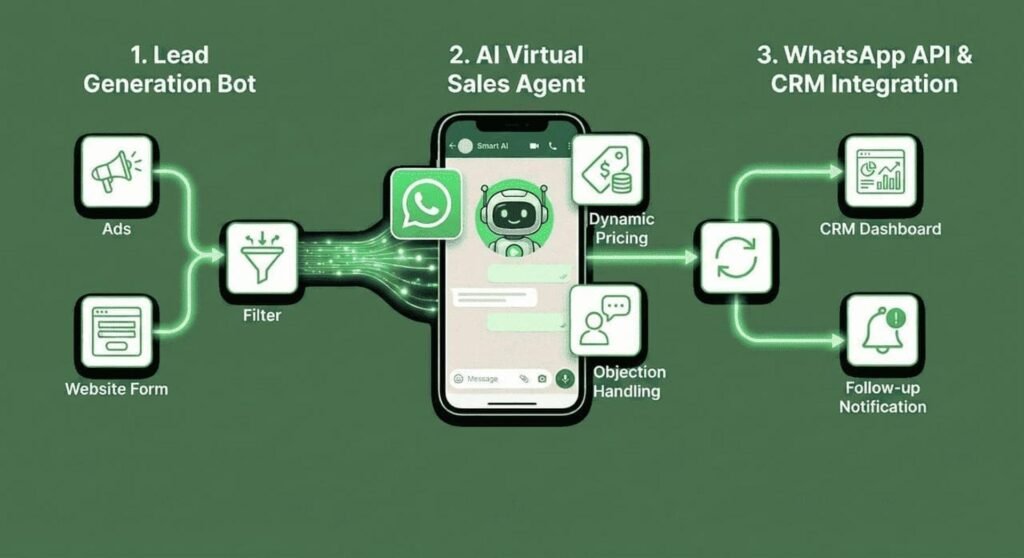
For example, a digital marketing agency may receive enquiries through WhatsApp after a customer sees an advertisement.
The CRM can then help record the prospect, assign the lead to a salesperson and track subsequent activities.
Best CRM for Small Business and Marketing Automation
Marketing automation can significantly reduce repetitive manual work.
Suppose someone downloads an ebook from a website. Instead of manually sending several follow-up emails, an automated workflow can send relevant messages according to predefined conditions.
The Best CRM for small business can become more valuable when marketing automation and customer data work together.
Automation can support:
- Welcome emails
- Lead nurturing
- Follow-up notifications
- Appointment reminders
- Promotional campaigns
- Customer reactivation
- Sales alerts
- Lead scoring
However, automation should not replace human communication completely. It should help employees spend more time on valuable customer interactions.
Best CRM for Small Business: Pricing Considerations
Budget is an important factor for small companies.
The Best CRM for small business should provide a reasonable balance between price and functionality.
Before selecting a plan, consider:
- Number of users
- Number of contacts
- Storage limits
- Automation features
- Integrations
- Reporting
- Mobile access
- Customer support
- Upgrade costs
A cheap CRM may become expensive if essential features require additional subscriptions.
Similarly, an expensive CRM may be unnecessary if the company only needs basic lead and contact management.
The right decision is to calculate the total value rather than focusing only on monthly pricing.
Best CRM for Small Business: Ease of Use Is Critical
One of the most overlooked CRM factors is employee adoption.
Even an advanced platform provides little value if employees do not use it consistently.
The Best CRM for small business should be intuitive enough for employees to understand with reasonable training.
Before implementation, create a simple CRM process.
For example:
Step 1: Add the lead
Step 2: Assign the salesperson
Step 3: Make the first contact
Step 4: Update the lead status
Step 5: Schedule the next follow-up
Step 6: Record the result
Step 7: Close or nurture the opportunity
A simple workflow increases the likelihood of regular CRM usage.
Best CRM for Small Business: Mobile Accessibility
Sales teams are not always sitting at a desk.
Employees may travel for meetings, attend exhibitions, visit customers or make sales calls from different locations.
Therefore, mobile accessibility can be an important consideration when choosing the Best CRM for small business.
A mobile-friendly CRM allows sales representatives to access customer information, update deals, create tasks and review follow-ups while working remotely.
For businesses with field sales teams, this can improve operational efficiency.
Best CRM for Small Business and Analytics
Data can help business owners make better decisions.
A CRM can provide information about:
- Number of leads
- Lead sources
- Conversion rates
- Sales pipeline value
- Sales representative performance
- Average sales cycle
- Lost opportunities
- Revenue trends
The Best CRM for small business should make important information easy to understand.
For example, if Google Ads generates 100 leads but only two customers, while organic search produces 40 leads and ten customers, the business has a reason to examine lead quality and marketing performance.
CRM data can therefore support better marketing and sales decisions.
How a Digital Marketing Agency Can Help With CRM
Selecting and implementing the Best CRM for small business can become easier with professional assistance.
A business may need CRM setup, pipeline configuration, lead integration, automation, tracking and reporting.
Digital Marketing India, led by Saurabh Kumar with 15+ years of digital marketing experience, provides services designed to help businesses build and manage their digital presence.
Services include website and application development, SEO, Local SEO, Google Business Profile optimization, social media marketing, Meta Ads, Google Ads, YouTube advertising, LinkedIn advertising, lead generation, WhatsApp marketing, chatbot development, marketing automation, CRM integration, email automation, lead nurturing, creative design, video production, content marketing, analytics and online reputation management.
CRM integration can be especially useful when a business wants to connect marketing campaigns with its sales process.
For example:
Advertisement → Landing Page → Lead Form → CRM → Sales Team → Follow-Up → Conversion → Reporting
A connected system makes the customer journey easier to monitor.

Common CRM Mistakes Small Businesses Should Avoid
Even after selecting the Best CRM for small business, poor implementation can reduce its effectiveness.
Choosing Too Many Features
A business does not need every available feature. Start with essential functions.
Not Training Employees
Employees should understand why the CRM matters and how to use it.
Failing to Define Sales Stages
Without clear pipeline stages, reports may become confusing.
Not Updating Customer Records
CRM information is useful only when it remains accurate.
Ignoring Follow-Ups
A CRM cannot improve sales if employees don’t act on reminders.
Using Multiple Unconnected Systems
Too many disconnected tools can create duplicate data and confusion.
Not Measuring Results
Businesses should regularly review CRM reports to identify improvements.
Best CRM for Small Business: A Simple Implementation Strategy
A practical CRM implementation can happen in stages.
Stage 1: Define Objectives
Decide whether the main objective is lead management, sales tracking, customer service, marketing automation or all of these.
Stage 2: Map the Customer Journey
Identify how a person becomes a lead and how that lead becomes a customer.
Stage 3: Create Pipeline Stages
Build clear stages based on the company’s actual sales process.
Stage 4: Import Existing Data
Move relevant customer and lead information into the CRM.
Stage 5: Connect Lead Sources
Where possible, connect website forms, advertising platforms, email systems and other lead sources.
Stage 6: Configure Automation
Create useful reminders and automated workflows.
Stage 7: Train Employees
Show employees how to add leads, update records and complete follow-ups.
Stage 8: Monitor Performance
Review reports regularly and improve the process.
This approach helps businesses get practical value from the Best CRM for small business rather than treating CRM as simply another software subscription.
Which Is the Best CRM for Small Business for Your Company?
There is no single CRM that is perfect for every company.
The Best CRM for small business depends on the company’s size, budget, sales process, team structure, industry and automation requirements.
A startup may prefer a simple and affordable solution. A growing agency may require stronger automation and integration. A larger organization may prioritize customization, reporting and scalability.
A useful starting comparison is:
| CRM | Suitable For | Key Strength |
|---|---|---|
| HubSpot | Startups and growing companies | Broad CRM and marketing ecosystem |
| Zoho CRM | Flexible small and medium businesses | Customization and integrations |
| Salesforce | Growing and complex organizations | Extensive scalability |
| Freshsales | Sales-focused teams | Sales management |
| Pipedrive | Pipeline-driven businesses | Visual sales pipeline |
| Microsoft Dynamics 365 | Microsoft-based businesses | Business ecosystem integration |
| EngageBay | Marketing-focused small businesses | CRM and automation combination |
Instead of asking only, “Which CRM is the most powerful?”, ask, “Which CRM solves our current problems while supporting our future growth?”
That question will lead you closer to the Best CRM for small business for your specific situation.
Final Thoughts on the Best CRM for Small Business
A CRM is more than a database of customer names and phone numbers. When implemented correctly, it becomes a central system for managing leads, sales activities, communication, follow-ups and customer relationships.
The Best CRM for small business should make work simpler, not more complicated. It should help employees know what to do next, help managers understand sales performance and help business owners make decisions based on reliable data.
Platforms such as HubSpot, Zoho CRM, Salesforce, Freshsales, Pipedrive, Microsoft Dynamics 365 and EngageBay can all be considered depending on business requirements.
Before making a decision, evaluate your budget, team size, lead sources, sales process, automation requirements and future growth plans.
For businesses that want to combine CRM with digital marketing, website development, SEO, paid advertising, social media, WhatsApp marketing, automation and analytics, professional implementation can make the process more effective.
Digital Marketing India, led by Saurabh Kumar (15+ years of digital marketing experience), offers digital marketing and technology solutions for businesses looking to strengthen their online presence, generate qualified leads and improve customer acquisition.
Contact Digital Marketing India
Name: Saurabh Kumar
Experience: 15+ Years in Digital Marketing
Address: S15-00709, Vaidehi Niwas, Bhairomunna Link Road, Sahnewal, Ludhiana, Punjab – 141120
Contact: +91 76966 77728
From SEO and Google Business Profile optimization to Google Ads, Meta Ads, website development, social media marketing, WhatsApp automation, CRM integration, content marketing and analytics, the right digital strategy can help a small business build a more organized and measurable growth system.
The ultimate goal of choosing the Best CRM for small business is not simply to purchase software. It is to create a better process for managing relationships, responding to prospects, nurturing leads and converting opportunities into long-term customers.